Posts

Drupal - Reset user's password in mariadb console

To reset the password of a certain user in Drupal, you can go directly to the mariadb console and update the hashed password for that user. 1. First create a hashed password by running the following Drupal's script: $ cd /path/to/drupal/root $ ./scripts/password-hash.sh "Mynewpassw0rd" password: Mynewpassw0rd                 hash: $S$DaV2cH0vn1Sxg71dLnN9NYE2B4acIWn94toMR3ign2CGHMXxmBQd 2. Go to mysql console and update user 'myuser' password: $ mysql -u dbadmin -p Password: **** MariaDB > USE mydb; MariaDB [mydb] > UPDATE users SET pass='$S$DaV2cH0vn1Sxg71dLnN9NYE2B4acIWn94toMR3ign2CGHMXxmBQd' WHERE name='myuser'; 3. Done

CSS - Body's Background image rotation

To add background image rotation for your website, use the following jquery and css snippet: CSS: body { transition: background 1s ease-in-out; -webkit-transition: background 1s ease-in-out; -moz-transition: background 1s ease-in-out; -o-transition: background 1s ease-in-out; } .image-0 { background:url('/images/bgmain.png'); } .image-1 { background:url('/images/bgmain1.png'); } .image-2 { background:url('/images/bgmain2.png'); } .image-3 { background:url('/images/bgmain3.png'); } JS:     <script src="https://ajax.googleapis.com/ajax/libs/jquery/1.11.0/jquery.min.js"></script>     <script> $(document).ready(function(){ var msecs = 5000; var step = 0; var limit = 2; $("body").addClass("image-"+step); setInterval (function(){ $("body").removeClass("image-"+step); step = (step > limit) ? 0 : step +...

Apache Directory Studio, such a useful tool!

Image
Every time I need to do something with the Active Directory, I have to remote desktop to the DC and use the Microsoft's administrative tool. It is quite inconvenient! Now with Apache Directory Studio, I can easily manage the AD in my computer which is a Linux machine. It also supports Windows and Mac OS X platform: Project's official link:  https://directory.apache.org/studio/

edX-platform - Change site name used in account activation email

The default configuration for SITE_NAME used in account activation email of edx-platform can be change by modify the following file: # nano /edx/app/edxapp/lms.env.json ... "SITE_NAME": "your.custom.domain", ... Restart the LMS/CMS service: # /edx/bin/supervisorctl -c /edx/etc/supervisord.conf restart edxapp: # /edx/bin/supervisorctl -c /edx/etc/supervisord.conf restart edxapp_worker:

edX-platform - Error in dashboard when logging in as superuser account

Image
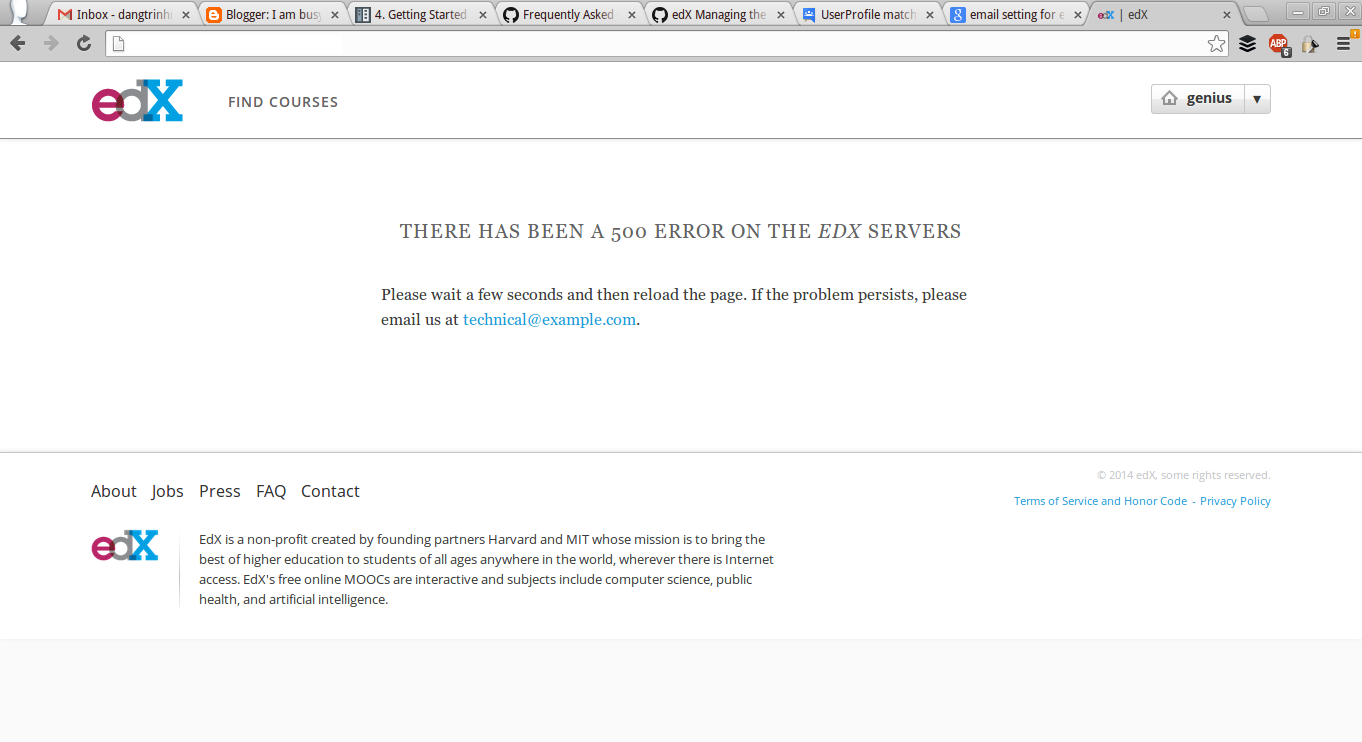
In edX-platform, you can access the Django's interface by accessing this following url: http://your.url.com/admin And logging in using the superuser account. But, after you logged in, you access the home page, you will see this error: You can see the stack trace at /edx/var/log/supervisor/lmstderr.log 2014-02-25 01:14:51,112 ERROR 5367 [django.request] base.py:215 - Internal Server Error: /dashboard Traceback (most recent call last):   File "/edx/app/edxapp/venvs/edxapp/local/lib/python2.7/site-packages/django/core/handlers/base.py", line 111, in get_response     response = callback(request, *callback_args, **callback_kwargs)   File "/edx/app/edxapp/venvs/edxapp/local/lib/python2.7/site-packages/django/contrib/auth/decorators.py", line 20, in _wrapped_view     return view_func(request, *args, **kwargs)   File "/edx/app/edxapp/venvs/edxapp/local/lib/python2.7/site-packages/django/utils/decorators.py", line 91, in _wrapped_view   ...

Django-wiki, an alternative for MindTouch enterprise wiki?

Image
The MindTouch open-source enterprise wiki has been abandoned for a while. Instead of continuing develop the open-source version, they changed their model into cloud based hosting. This disappoints us because the product is so great lately. Now, our organization have to stay with the soon-to-be obsoleted system. Fortunately, I found a project that looks promising: django-wiki https://github.com/benjaoming/django-wiki   So, let's start trying it. 0. Prepare the environment and directory: $ virtualenv ~/.venv/wiki $ source ~/.venv/wiki/bin/activate 1. Clone the repository: $ git clone https://github.com/benjaoming/django-wiki.git 2. Install requirements: (wiki)$ cd django-wiki (wiki)$ pip install -r requirements.txt 3. Run the test project: (wiki)$ cd testproject (wiki)$ python manage.py runserver

edX-platform - Deploying edX-platform fullstack in Ubuntu 12.04

Image
Our team @ UNS  is deploying an edX-platform instance in a VPS. The openness of edX helps us a lot in saving resources and time to plan out the architecture of the project. But, because the edX-platform has gone so far, the code base has grown enormously with a bunch of technologies, It will be a challenge for us to master everything to operate the platform efficiently. There are pros and cons. It seems like everything will be OK the first time we look at edX. I meant the advantages of using Open edX. It is not only because of a huge community behind Open edX, but also because this is a great chance for us to learn and to create value for our Vietnamese education system. The edX platform seems to have a well documentations which helping us to deploy it easily and in a short period of time. With its great architecture design, the platform is mean to serve a lot of users. It meant a lot of educational opportunity for people. I'm not talking about the technologies of edX themse...