Posts

Showing posts with the label vagrant

Trying the Taiga project management platform

Image
If you love Agile and looking for a tool to integrate that method into your org, you should try Taiga: https://taiga.io/ Taiga is an open-sourced project management platform based on Django and AngularJS which are both also open-sourced. It's really easy to get started with Taiga using vagrant thanks to the team: https://github.com/taigaio/taiga-vagrant All you have to do are (you need to have VirtualBox and Vagrant installed on your machine first): $ git clone https://github.com/taigaio/taiga-vagrant.git $ cd taiga-vagrant $ vagrant up After the provisioning is finished, you can access the platform by opening your browser, enter this address: http://localhost:8000 The default admin user is admin / 123123 If the vagrant provisioning does not process successfully, you can have a look at the script: https://github.com/taigaio/taiga-vagrant/blob/master/scripts/provision.sh The provision script will clone this taigao-scripts repo and run the setup-server.sh: ...

How to fix some Vagrant issues

Here are some issues you will face when playing around with Vagrant and how to fix them: 1. Cannot install plugin Remove ~/.vagrant.d directory before re-installing vagrant. 2. Your VM has become "inaccessible." Unfortunately, this is a critical error with VirtualBox that Vagrant can not cleanly recover from. Please open VirtualBox and clear out your inaccessible virtual machines or find a way to fix them. Remove .vagrant file. 3. Cannot run a vm with Vitualbox: Enable VT-x feature in your machine's BIOS. ...

edX-platform - Installing fullstack edX using a pre-built Vagrant image

Image
The edX team has been release the new Configuration, a project that help us to deploy and test edX easily, with code name  brioche . I'll try this and see how easy and improved it is. I will follow this wiki:  https://github.com/edx/configuration/wiki?utm_content=buffer0f89a&utm_source=buffer&utm_medium=twitter&utm_campaign=Buffer My computer: + Xubuntu 12.04LTS x86 64bit + CPU Intel core i3 + 4GB of RAM 1. Install requirements: + VirtualBox: 4.2.18 r88780 + Vagrant 1.3.3 2. Download vagrant image (the image's size is about 2.7GB, so I decided to download it manually): https : //s3.amazonaws.com/edx-static/vagrant-images/20130930-brioche-fullstack.box 3. Run vagrant init: # for the full edX stack (md5sum 6b26448fa92056d42f50d910c854a767) vagrant init edx 20130930-brioche-fullstack.box 4. Edit the created Vagrantfile, uncomment and modify these following lines: config.vm.box_url = "20130930-brioche-fullstack.box" ...

Vagrant - Start-up VM without provisioning

Just run the vagrant command with `--no-provision`: $ vagrant up --no-provision

edX-platform - Up and Running in Vagrant environment

Image
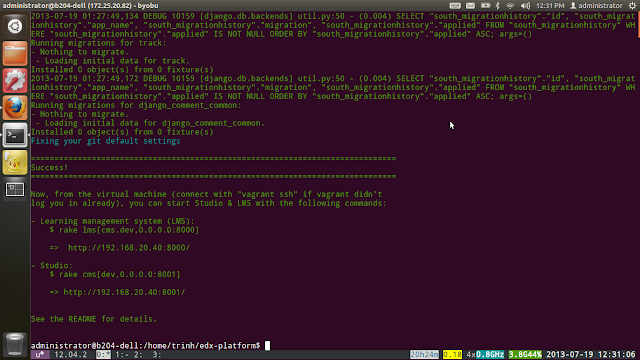
After a while messing around with edX platform source code (http://iambusychangingtheworld.blogspot.com/2013/06/edx-source-code-exploration.html), I decided to run the platform using the recommended way, the Vagrant way. I followed the instructions from the edx-platform repo: https://github.com/edx/edx-platform#installation---the-first-time. But, there're something I had to do to make it work: 0. My computer (CPU) has to support virtualization technology or the vagrant environment will not run or hang forever :D. So, CPU core i3, i5 +... is fine .