What to do when your root account in vCenter has been locked out
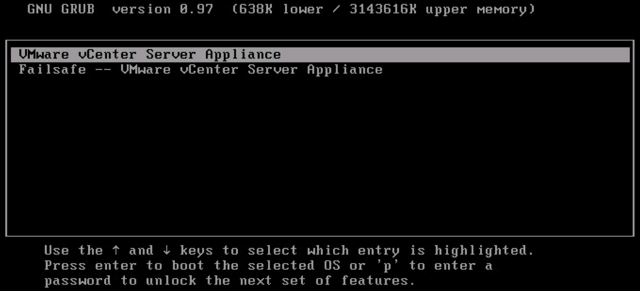
If the root account is not accessible through the console, the secure shell, and the Virtual Appliance Management Interface (VAMI) (vCenter Server Appliance 5.5 and 6.0 Update 1), the root account has been inactivated due to password expiration or too many fail attempts . To reactivate the root account, the vCenter Server appliance must be rebooted and the kernel option modified in the GRUB bootloader to obtain a root shell. To reactivate the root account: 1. Reboot the vCenter Server appliance using the vSphere Client. 2. When the GRUB bootloader appears, press the spacebar to disable autoboot. 3. Type p to access the appliance boot options. 4. Enter the GRUB password. Note : If the vCenter Server appliance was deployed without editing the root password in the Virtual Appliance Management Interface (VAMI), the default GRUB password is vmware . If the vCenter Server appliance root password ...