Posts

Showing posts matching the search for label:edx

edx-platform - Error when accessing Course Creator link in the django admin interface of CMS

After logged in into the django admin interface of CMS (/admin) as superuser, click the Course Creator link, I got this error: DatabaseError: (1146, "Table 'edxapp.course_creators_coursecreator' doesn't exist") First, I tried to migrate the db of edx following the official wiki of Open edX (https://github.com/edx/configuration/wiki/edX-Managing-the-Production-Stack) sudo -u www-data /edx/bin/python.edxapp ./manage.py lms syncdb --migrate --settings aws But not thing changed. After a while, I noted the migrating command, It only migrates the lms, not the cms. So, gotcha! I just need to migrate the db of CMS and everything will be fine: sudo -u www-data /edx/bin/python.edxapp ./manage.py cms syncdb --migrate --settings aws

edX-platform - Updating edX production stack's versions using edX repos

To update your Open Edx instance to the latest version from a repository (master branch of edx-platform, mybranch,... ) run the following command: $ sudo /edx/bin/update edx-platform master After the updating finish successfully, run the db migration command: $ cd /edx/app/edxapp/edx-platform/ $ sudo -u www-data /edx/app/edxapp/venvs/edxapp/bin/python ./manage.py lms syncdb --migrate --settings aws Finally, restart the edx's services: * LMS/CMS: sudo /edx/bin/supervisorctl -c /edx/etc/supervisord.conf restart edxapp: * Workers: sudo /edx/bin/supervisorctl -c /edx/etc/supervisord.conf restart edxapp_worker: References : https://github.com/edx/configuration/wiki/edX-Managing-the-Production-Stack

edx-platform - How to enable BULK EMAIL in the instructor dashboard

Image
Course staffs of a certain course can send notification emails (bulk emails) to students in the instructor dashboard of Open edX's LMS. But, to enable that functionality, the only way I know right now is: 1. Go to the django's admin interface > Bulk_Email > Course authorizations 2. Add a new course authorization and check the " Email enabled " checkbox with: Course id : Org/Course/CourseRun E.g: UNS/Py_001/201405 3. Go back to the instructor dashboard, instructor tab, the Email section will show up: Cool! \m/\m/\m/

How to disable public account registration in Open edX

To disable public account registration in Open edX, add this flag to the Features array in lms.env.json and cms.env.json: "FEATURES": { ...     "ALLOW_PUBLIC_ACCOUNT_CREATION" : false } Save and restart the apps: sudo /edx/bin/supervisorctl restart all

edx-platform - Using the Standford theme for your production stack

Image
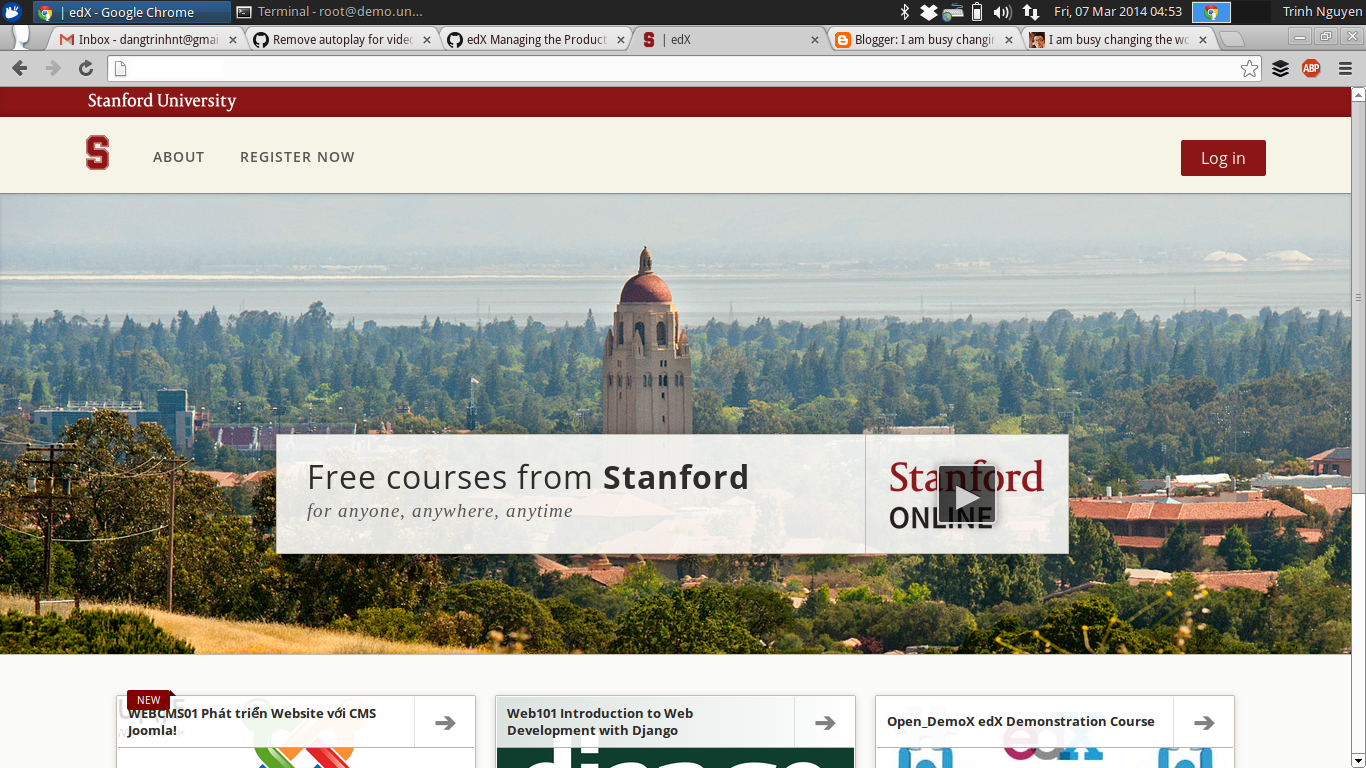
To apply the Standford theme for your edX production stack: 1. Open/create the file  /edx/var/edx_ansible/server-vars.yml , and add the following lines: edxapp_use_custom_theme: true edxapp_theme_name: 'stanford' edxapp_theme_source_repo: 'git://github.com/Stanford-Online/edx-theme.git' edxapp_theme_version: 'HEAD' 2. Then run the provisioning script: $ sudo /edx/bin/update edx-platform master Notes and troubleshooting: 1. To customize the theme, fork the Standford theme's repository, change the style, images...or whatever you want, then edit the server-vars.yml file again: edxapp_use_custom_theme: true edxapp_theme_name: 'mycustomtheme' edxapp_theme_source_repo: 'git://github.com/myaccount/edx-theme.git' edxapp_theme_version: 'HEAD' Save and exit. Repeat step #2 to apply the new theme to your edx instance. 2. server-vars.yml does not make any changes after running the update bash script Take a look at...

edX-platform - Remove the error phantomjs is not found.

You will see a blue warning message when starting the LMS or CMS: " p hantomjs not found on path. Set $PHANTOMJS_PATH. Using browser for jasmine tests " It's not something fatal, but I want to get rid of it :D Here is how i did it: 1. Inside the VirtualMachine (vagrant ssh), cd to /opt/edx/edx-platform/node_modules/ and install phantomjs : sudo npm install phantomjs -g phantomjs will be installed inside the node_modules dir. Change permission for the phantomjs dir: sudo chmod 755 phantomjs 2. Include the phantomjs path to your PATH: add this line to the end of ~/.bashrc : export PATH=$PATH:/opt/edx/edx-platform/node_modules/phantomjs/bin eval "$(rbenv init -)" And no more warning / error about phantomjs. Updates July 24, 2013: Pull the latest source code from master and you only need to install the phantomjs, and everything will just be fine: `sudo npm install phantomjs -g `.

edX-platform - Change site name used in account activation email

The default configuration for SITE_NAME used in account activation email of edx-platform can be change by modify the following file: # nano /edx/app/edxapp/lms.env.json ... "SITE_NAME": "your.custom.domain", ... Restart the LMS/CMS service: # /edx/bin/supervisorctl -c /edx/etc/supervisord.conf restart edxapp: # /edx/bin/supervisorctl -c /edx/etc/supervisord.conf restart edxapp_worker:

edX-platform - Error in dashboard when logging in as superuser account

Image
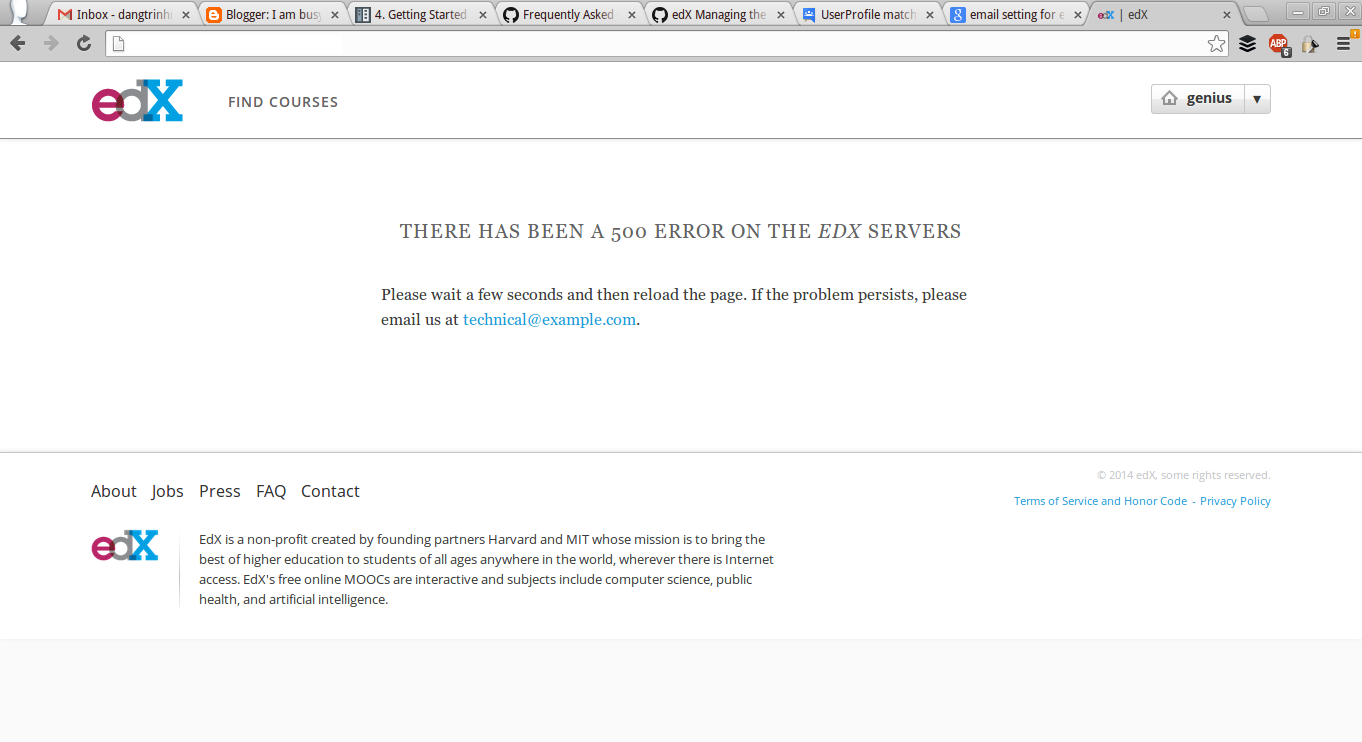
In edX-platform, you can access the Django's interface by accessing this following url: http://your.url.com/admin And logging in using the superuser account. But, after you logged in, you access the home page, you will see this error: You can see the stack trace at /edx/var/log/supervisor/lmstderr.log 2014-02-25 01:14:51,112 ERROR 5367 [django.request] base.py:215 - Internal Server Error: /dashboard Traceback (most recent call last):   File "/edx/app/edxapp/venvs/edxapp/local/lib/python2.7/site-packages/django/core/handlers/base.py", line 111, in get_response     response = callback(request, *callback_args, **callback_kwargs)   File "/edx/app/edxapp/venvs/edxapp/local/lib/python2.7/site-packages/django/contrib/auth/decorators.py", line 20, in _wrapped_view     return view_func(request, *args, **kwargs)   File "/edx/app/edxapp/venvs/edxapp/local/lib/python2.7/site-packages/django/utils/decorators.py", line 91, in _wrapped_view   ...

edX-platform - Up and Running in Vagrant environment

Image
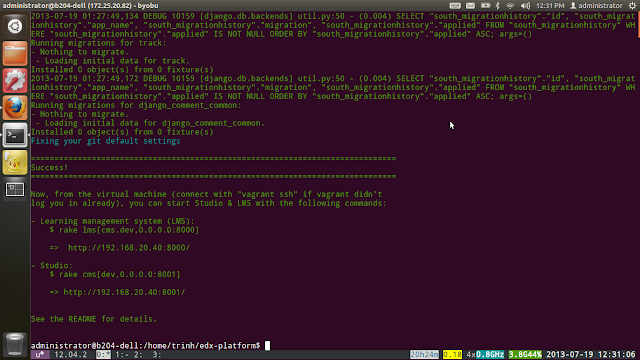
After a while messing around with edX platform source code (http://iambusychangingtheworld.blogspot.com/2013/06/edx-source-code-exploration.html), I decided to run the platform using the recommended way, the Vagrant way. I followed the instructions from the edx-platform repo: https://github.com/edx/edx-platform#installation---the-first-time. But, there're something I had to do to make it work: 0. My computer (CPU) has to support virtualization technology or the vagrant environment will not run or hang forever :D. So, CPU core i3, i5 +... is fine .

edX-platform - Source code exploration

Image
I'm pretty sure that we all know the famous online learning websites, Coursera, edX, Udacity... They have changed the education system of the world and created a new revolution about how people access the knowledge. Those MOOC (Massive Open Online Courses) platform provide us the tools to study whatever subjects we like in a professional way just like we did it in college through the Internet. And there are more and more advantages of using those tools to achieving our studying targets, you name it. Today, I found that the edX team has opened their source code to the public and make clear about the edX project's vision: open platform for open-minded learner. They stated:

Open edX - Login/Register submit button disabled after the first fail attempt

Image
The default login/registration form of Open edX has a bug that will disable the submit button after the first fail attempt and seem like no one want to fix it. Fortunately, you can use the combined login/registration form which does not have that bug. You enable it by enable the following feature flag: "ENABLE_COMBINED_LOGIN_REGISTRATION": true If you're using a custom comprehensive theme, you need to set it as a Site Configuration flag in the Django Admin. But if you're not using a custom theme, you can just set it in your /edx/app/edxapp/lms.env.json file, under the FEATURES list. Then restart your apps and enjoy: $ /edx/bin/supervisorctl restart all

edx-platform - Install Open EdX on a freshly installed Ubuntu 14.04 server

Even though the official installation guide for Open EdX using the Configuration repository only supports Ubuntu 12.04 but you can actually using the same method to install an Open EdX instance on a freshly installed Ubuntu 14.04 server : Do not run the one-step install script because it has a platform check to make sure it only run on a Ubuntu 12.04 server: ... ## Sanity check ## if [[ ! "$(lsb_release -d | cut -f2)" = ~ $'Ubuntu 12.04' ]] ; then echo "This script is only known to work on Ubuntu 12.04, exiting..." ; exit ; fi ... You should install the stack manually following these steps: ## ## Update and Upgrade apt packages ## sudo apt-get update -y sudo apt-get upgrade -y ## ## Install system pre-requisites ## sudo apt-get install -y build-essential software-properties-common python-software-properties curl git-core libxml2-dev libxslt1-dev python-pip python-apt python-dev sudo pip install --upgrade pip sudo pip insta...

How to install and start E-commerce service in Open edX navetive installations (Ubuntu 16.04)

Assumptions: You are installing this on an AWS instance of Ubuntu 12.04, 64-bit You have at least 30GB of space assigned to the root drive These instructions are as current as of the Fiscus.3 platform release 1. Update and install system dependencies sudo apt-get update -y sudo apt-get install -y build-essential software-properties-common python-software-properties curl git-core libxml2-dev libxslt1-dev libfreetype6-dev python-pip python-apt python-dev libxmlsec1-dev swig libmysqlclient-dev sudo pip install --upgrade pip sudo pip install --upgrade virtualenv 2. Clone the edx configuration repository and install edX and ecommerce cd /var/tmp git clone https://github.com/edx/configuration cd /var/tmp/configuration sudo pip install -r requirements.txt sudo pip install setuptools --upgrade cd /var/tmp/configuration/playbooks nano -w edx_sandbox.yml * Inside the edx_sandbox.yml file, change the SANDBOX_ENABLE_ECOMMERCE flag from False to True. sudo ansible...

edX-platform - To run the CMS at port 80 along side with the LMS

By default, the CMS of the edX production stack will run at port 18010 which may be blocked by corporate's network. To make it run at port 80 and can be accessible via the url studio.your.domain, you only need to change the nginx server block of the CMS at /edx/app/nginx/sites-available/cms : upstream cms-backend {             server 127.0.0.1:8010 fail_timeout=0;     } server {   # CMS configuration file for nginx, templated by ansible     listen 80 ;   server_name ~^((stage|prod)-)?studio\..*; ... Then, restart the nginx service: $ sudo service nginx restart Cool!

edx-platform - Comments service error caused by auth user disappeared

Image
This morning, the comments service of our OpenEdX instance stopped working. Noone could post comment or replied in a thread:  Because the forum data is stored in mongodb, so I first try to look into that database, found out that the user I use for the comment service was disappeared?!! So, I tried to create that user and hopefully, the forum worked again: 1. Login to mongodb cli by typing in " mongo " in your linux console ( not sure how to do it in windows or MacOSX) $ sudo mongo 2. In mongodb cli, switch to the forum db: > use mydb 3. Check the existence of myuser user using for the forum service: > show users 4. If there is no user names myuser, create one (mongodb 2.4, http://docs.mongodb.org/v2.4/ reference/method/db.addUser/# db.addUser ): > db.addUser({user: "myuser", pwd: "mypassword", roles: ["readWrite", "dbAdmin"] }) 5. You may have to restart the forum service (or ev...

Open edX - Course about page not found on LMS and how to fix

If you click on a course from the LMS and it says " Page not foun d", your properly should check this variable in /edx/app/edxapp/lms.env.json and cms.env.json: PREVIEW_LMS_BASE It should not be the same with LMS_BASE . For example: your LMS_BASE is "yourdomain.com", so the CMS_BASE should be something like "preview.yourdomain.com" not "yourdomain.com". So check and change the variable if you got page not found error, then restart your stack, everything will be back to normal.

edx-platform - EDX-SGA's "NoAuthHandlerFound" error

Image
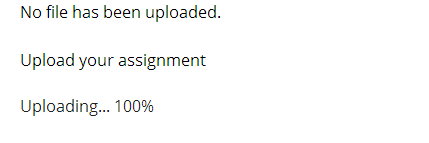
On July 20th, MIT's Office of Digital learning has released an XBlock for a Staff Graded Assignment ( SGA ). When placed in a course, this XBlock allows students to upload documents which can be viewed and graded by course staff. Git repository: https://github.com/mitodl/edx-sga But after I enabled the XBlock successfully, I could not upload the assignment file to the sga xblock (stop at 100%): I checked the log and found this: File "/ edx /app/edxapp/venvs/edxapp/ local/lib/python2.7/site- packages/boto/s3/connection. py", line 174, in __init__     validate_certs=validate_certs)   File "/ edx /app/edxapp/venvs/edxapp/ local/lib/python2.7/site- packages/boto/connection.py", line 557, in __init__     host, config, self.provider, self._required_auth_ capability())   File "/ edx /app/edxapp/venvs/edxapp/ local/lib/python2.7/site- packages/boto/auth.py", line 728, in get_auth_handler     'Check your credentials' % (len(names)...

edX-platform - An Introduction to XBlock development

Image
Yesterday at Delft Hackathon, Ned Batchelder (@nedbat), one of the core developers of edX platform, gave a presentation on what the XBlock is and How to develop XBlocks: This is very useful if you want get the most out of the edX-platform.

edx-platform - Why didn't the THIRD_PARTY_AUTH feature work for me?

Image
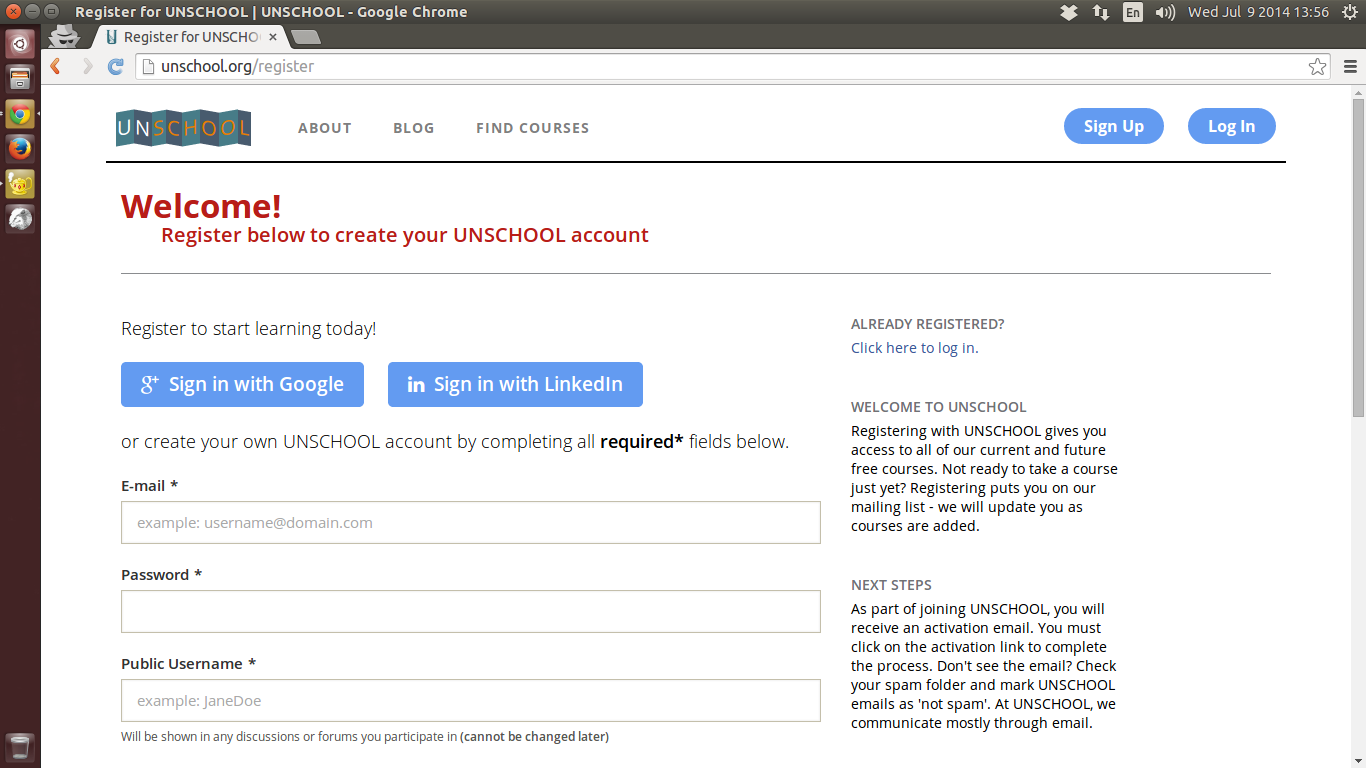
Yesterday, I's trying to enable the THIRD_PARTY_AUTH feature of the OpenEdX following these article of the author: Overview of the feature: http://johnmcox.blogspot.com/2014/05/getting-started-with-edx-third-party.html To understand how the feature works in OpenEdX: http://johnmcox.blogspot.com/2014/05/understanding-edx-third-party.html I did everything the author said to enable the third party authentication feature to allow my users at UnSchool using their GMail or LinkedIn account to log in to our OpenEdX, including: 1. I did enable the feature in the /edx/app/edxapp/lms.env.json: ...     "FEATURES": {         "ENABLE_THIRD_PARTY_AUTH": true,         "AUTH_USE_OPENID_PROVIDER": true,         "AUTOMATIC_AUTH_FOR_TESTING": false, ... 2. Create Google and LinkedIn apps, then fill in the /edx/app/edxapp/lms.auth.json with keys and secrets of these apps (at the end of the json): ...   ...

edx-platform - Strange error when generating certificates

I got this strange error when trying to generating certificates for all students in a course: $: sudo -u www-data /edx/bin/python.edxapp ./manage.py lms --settings aws ungenerated_certs -c UNS/Py_001/201405 --insecure                                           2014-08-03 22:02:20,229 INFO 21338 [dd.dogapi] dog_stats_api.py:66 - Initializing dog api to use statsd: localhost, 8125 Fetching enrolled students for UNS/Py_001/201405 2014-08-03 22:02:21,494 ERROR 21338 [xmodule.x_module] x_module.py:265 - Unable to load item i4x://UNS/Py_001/vertical/8401ba9a15ee4da098ab580680e3d544, skipping Traceback (most recent call last):   File "/edx/app/edxapp/edx-platform/common/lib/xmodule/xmodule/x_module.py", line 262, in get_children     child = self.runtime.get_block(child_loc) ...